This site uses cookies and other tracking technologies to assist with navigation and your ability to provide feedback, analyse your use of our site and services and assist with our promotional and marketing efforts. You can read more about this in our Privacy Policy.


Samsung Galaxy Book6 (16", Core Ultra 7, 16GB), a Copilot+ PC
xOut of Stock
Contact your account manager
- Galaxy Book6 (16"
- Core Ultra 7
- 16GB)
- a Copilot+ PC
- New Intel® CoreTM Ultra processor Series 3 processor.
- Ultra-slim, aluminium build
- Bright and crisp 16-inch Full HD display.

| SKU | NP760VJG-KG3UK |
|---|---|
| EAN | 8806099004934 |
| Manufacturer | Samsung |
| Availability | Out of Stock |

Engineered for perfection
Galaxy Book6 is engineered for balance, delivering smooth performance with clear visuals and practical Galaxy AI features — translate on the spot or search naturally to get things done more efficiently. Powered by the latest Intel® Core™ Ultra processor (Series 3), it handles multitasking with ease, while its long-lasting battery supports your day without frequent recharging. Meet the computer you can talk to.
Slim form, redefined
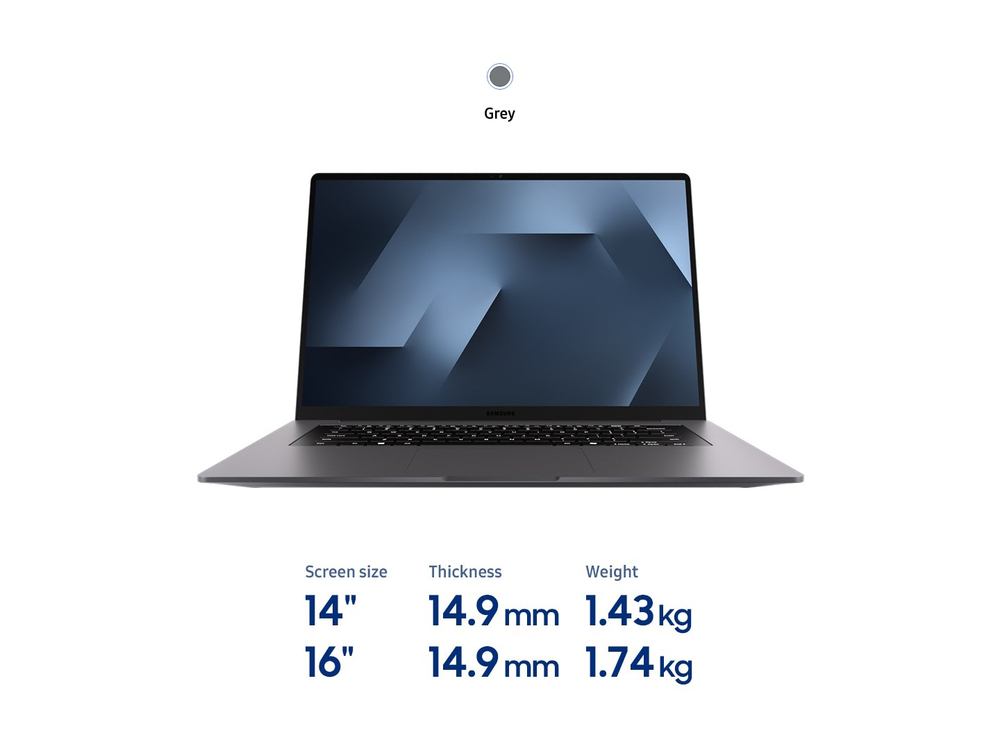
Designed for on-the-go productivity, Galaxy Book6 is encased in a thin and light portable frame with a sleek finish in Grey, making an impact anywhere you go. The slim silhouette even houses a built-in LAN port — supporting dependable connectivity for daily tasks, work and learning.
Engineered for reliable performance
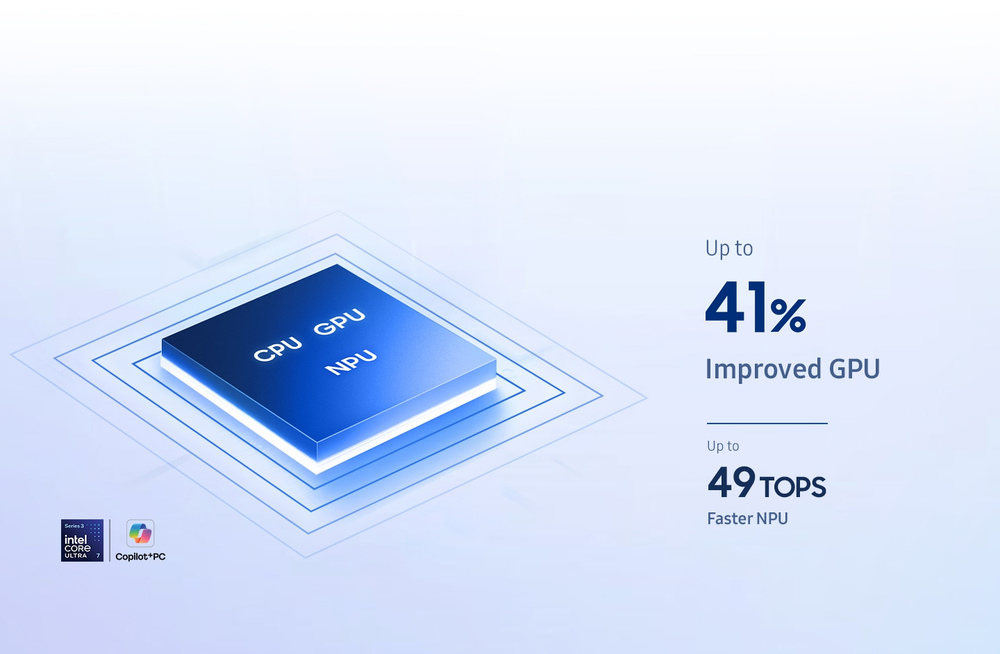
Powered by Intel® Core™ Ultra processor (Series 3), Galaxy Book6 handles tasks with confidence. With reliable CPU performance, 41 % improved graphics and a powerful 49 TOPS NPU, it helps everyday tasks run faster, while supporting multitasking and AI-enabled functions.
Power that lasts through the day
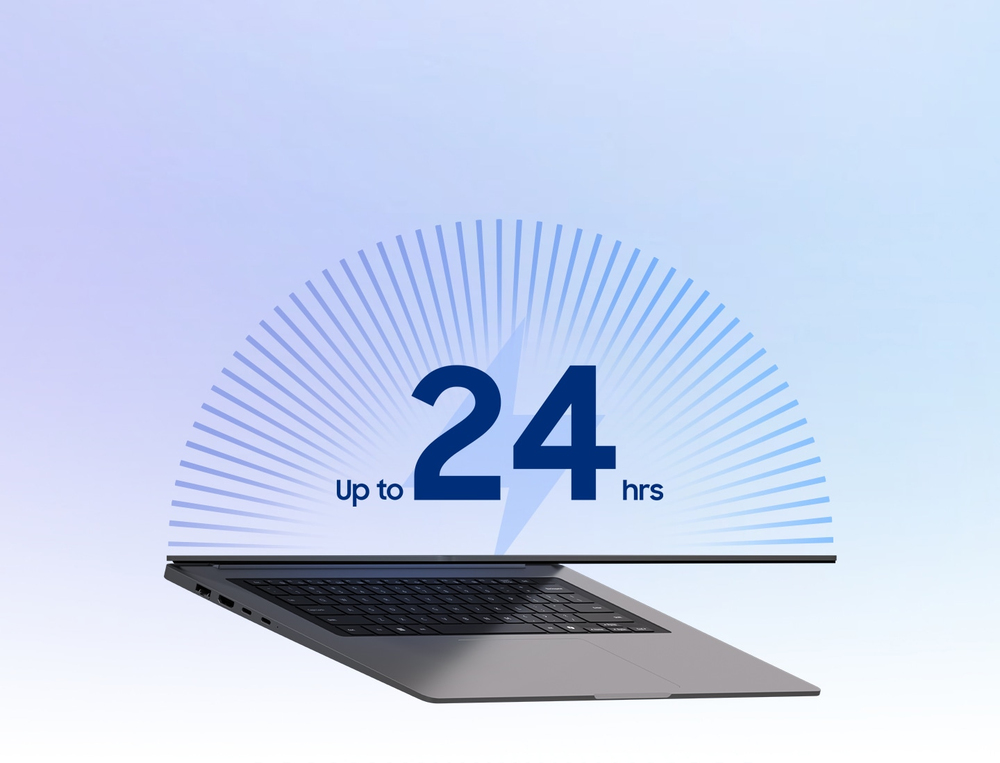
Galaxy Book6 is built to keep up with your day, offering long-lasting power for work and learning. The 16-inch model supports up to 24 hours of video playback, helping you stay productive and entertained without frequent recharging. And when it's time to power up, Super fast charging gives you a quick boost — charging up to 33% in just 30 minutes so you can keep focusing on what matters.
Crisp visuals with less glare
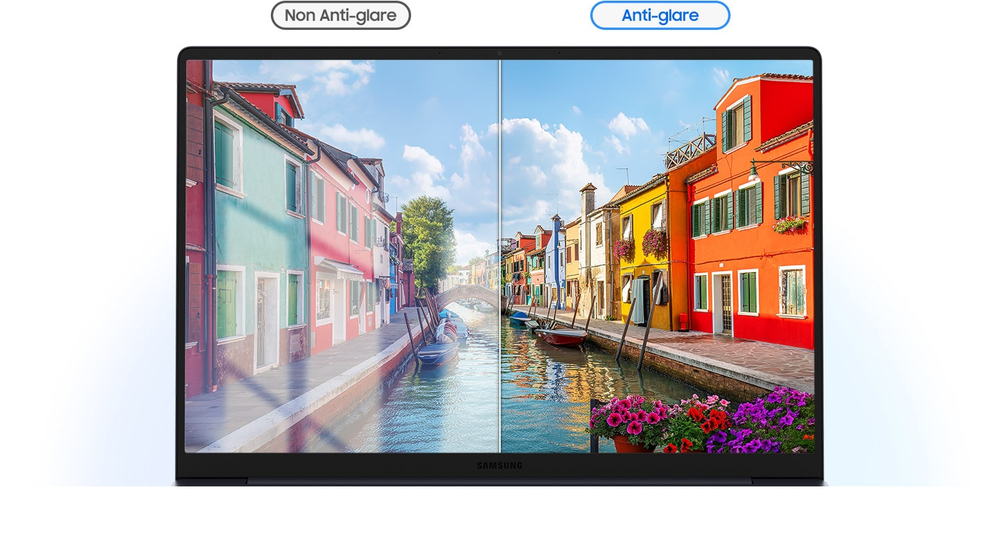
See the clear, vivid details with less distractions on the screen of Galaxy Book6 thanks to the anti-glare finish. The screen minimises reflections and unwanted onscreen artifacts to help keep content easy to see in a variety of lighting conditions.
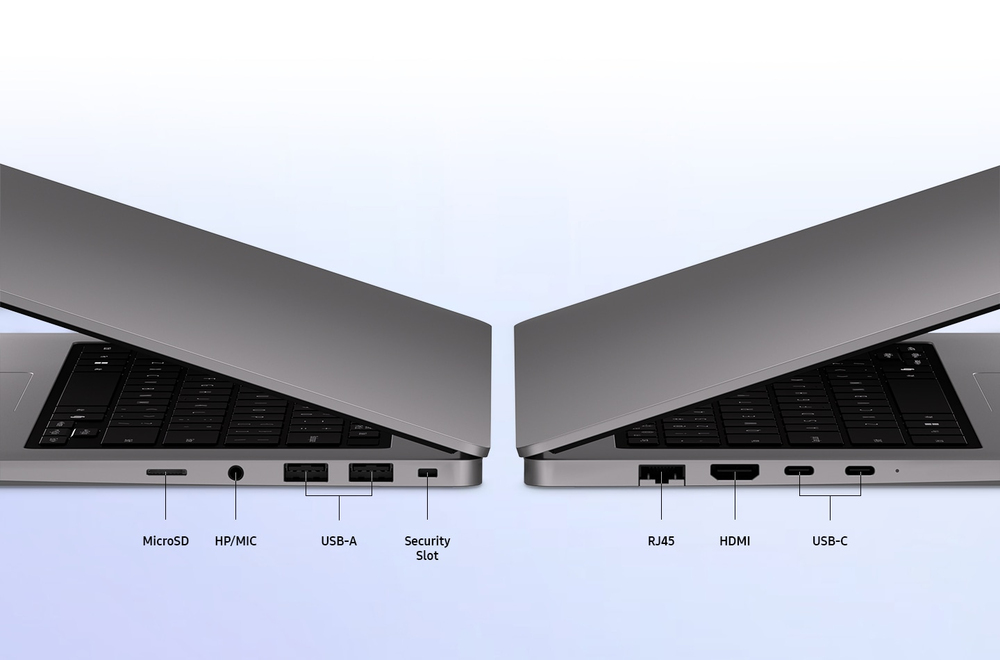
Ports you need, built right in
Designed to keep things simple, Galaxy Book6 includes a full range of essential ports for everyday connectivity. Plug in external devices via HDMI, two USB-C ports, two USB-A ports, a MicroSD slot, a headphone/mic jack, a security slot and even an RJ45 LAN port — so you can stay connected without the need for extra adaptors.
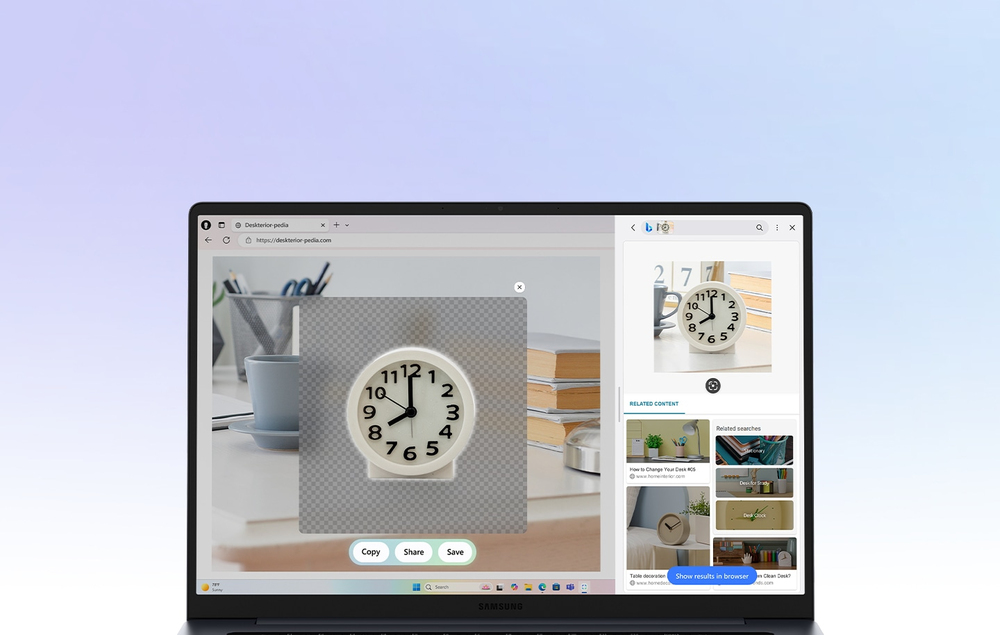
AI Cut out. Clean visuals, made simple
With AI select, easily select any on-screen image or object in simple steps. Then use AI Cut out to remove unwanted background instantly and get clean, ready-to-use visuals you can copy and paste straight into your slides, product listings or creative layouts.
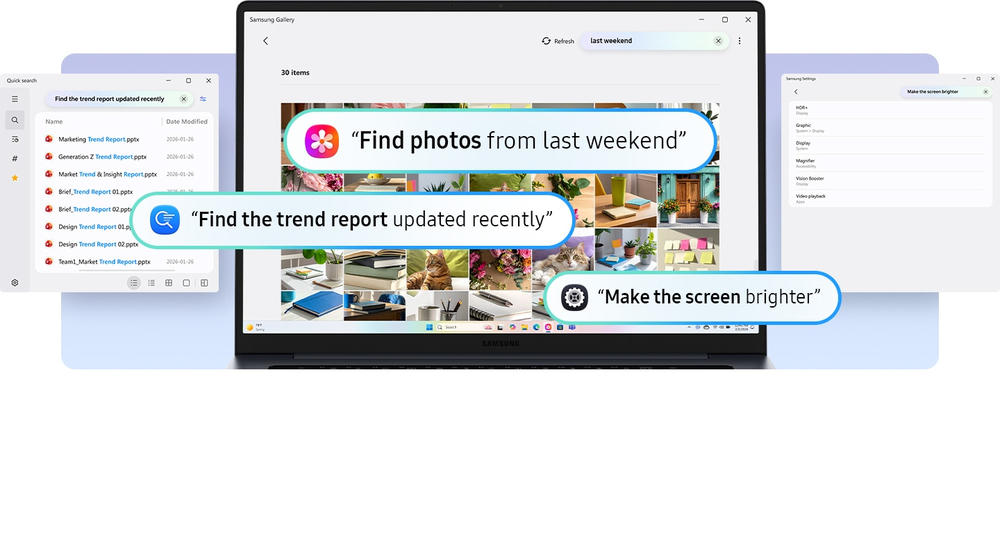
Search naturally. Just describe it
Cant remember a file name? Just describe what you need. Galaxy AI understands your natural language input and helps you find the right file, image or setting. Whether you're describing a photo, recalling a document or adjusting settings, Galaxy AI gets you there in seconds. Its effortless AI searching that feels as intuitive as talking.

Translate. Make sense of any text
Translate selected phrases or paragraphs on the spot. Whether it's a note, message or webpage, just highlight the text and let Galaxy AI-powered Translate turn it into your system language. Stay in sync across global content and conversations.

Send email. Start writing right away
Select an email address and send an email directly from your default mail app. Start composing without copying and pasting the email address.

Open website. Go straight to the page
Spotted a link while researching? Simply highlight it to open the website instantly in your default browser, letting you access information faster without breaking your flow.
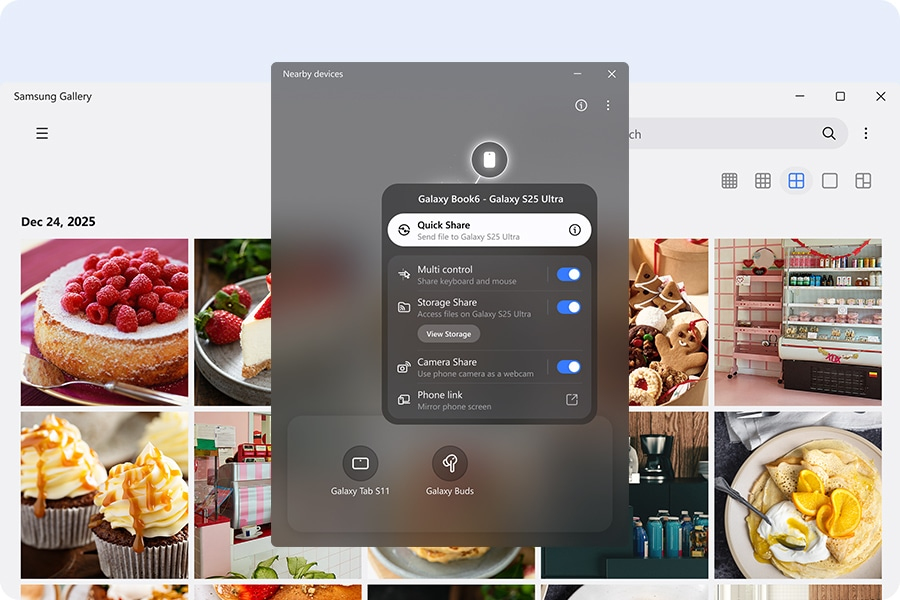
Nearby devices. Discover more around you
Nearby devices lets you connect and manage your Galaxy devices in an instant. Discover compatible devices around you, then drag and drop to pair and access shared features and seamless connected experiences.
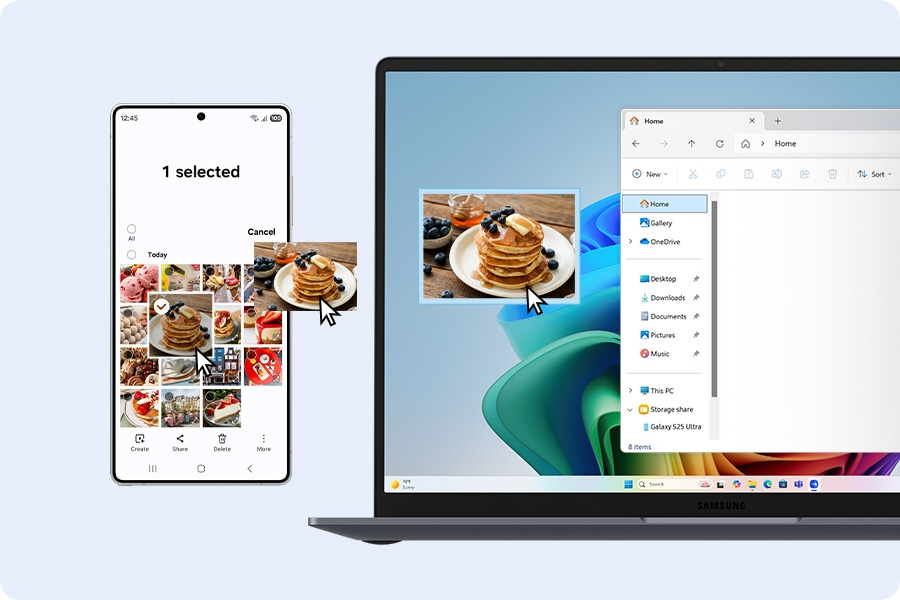
Multi Control. Control multiple screens like one
Control your Galaxy devices as one. With Multi Control, use your Galaxy Book's keyboard and mouse to move your cursor, type, and copy and paste files between your smartphone, Galaxy Tab, Samsung TV or Smart monitor.
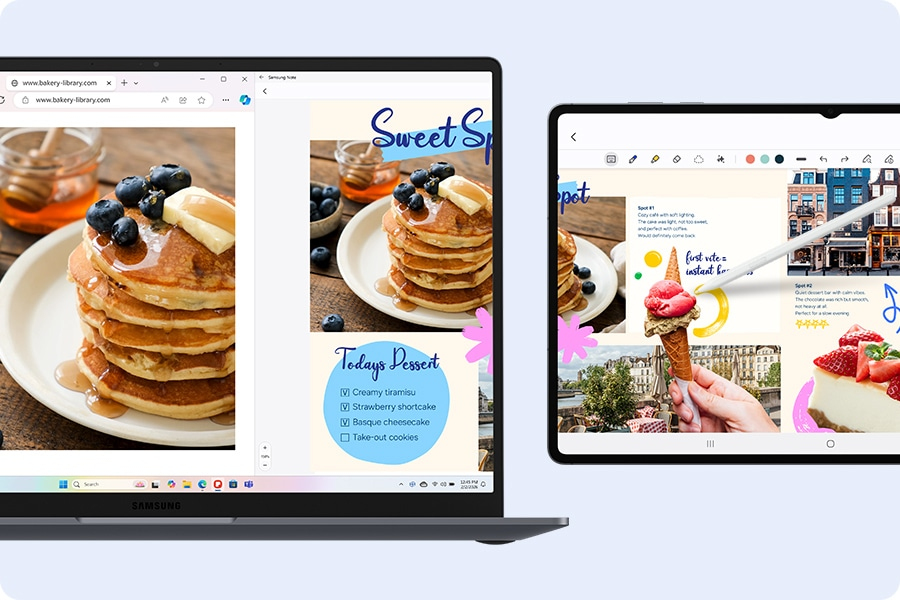
Second Screen. Extend your workspace
Add a second screen to increase your productivity. The Second Screen app lets you extend your PC screen using wired or wireless connections, giving you extra workspace for easier multitasking.
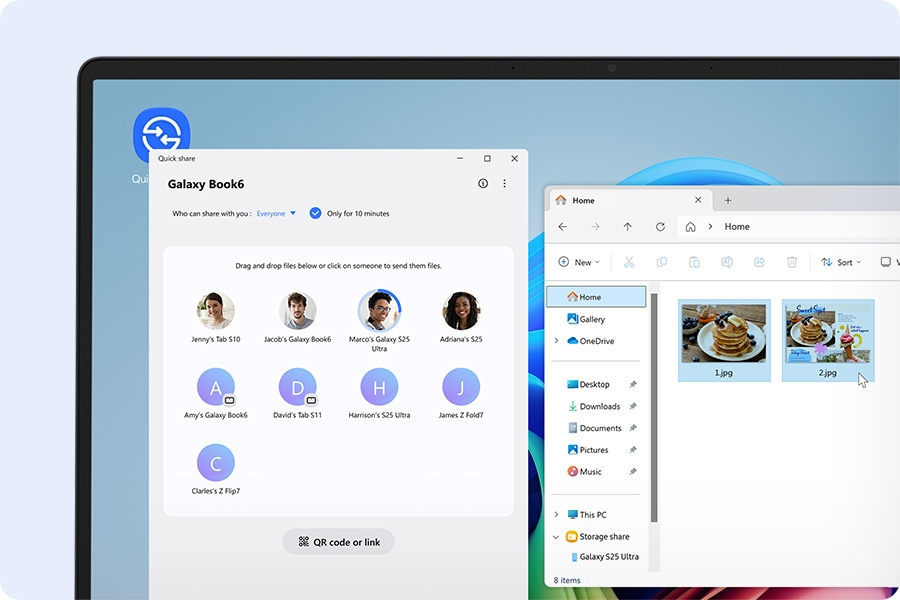
Quick Share. Fast, easy sharing
Share photos, videos, documents and other files fast and easy from your Galaxy Book6 to other devices with Quick Share. It works with a range of devices — not only with Galaxy and other Android devices but also with PCs from other manufacturers.
Engineered for perfection
Galaxy Book6 is engineered for balance, delivering smooth performance with clear visuals and practical Galaxy AI features — translate on the spot or search naturally to get things done more efficiently. Powered by the latest Intel® Core™ Ultra processor (Series 3), it handles multitasking with ease, while its long-lasting battery supports your day without frequent recharging. Meet the computer you can talk to.
Slim form, redefined
Designed for on-the-go productivity, Galaxy Book6 is encased in a thin and light portable frame with a sleek finish in Grey, making an impact anywhere you go. The slim silhouette even houses a built-in LAN port — supporting dependable connectivity for daily tasks, work and learning.
Engineered for reliable performance
Powered by Intel® Core™ Ultra processor (Series 3), Galaxy Book6 handles tasks with confidence. With reliable CPU performance, 41 % improved graphics and a powerful 49 TOPS NPU, it helps everyday tasks run faster, while supporting multitasking and AI-enabled functions.
Power that lasts through the day
Galaxy Book6 is built to keep up with your day, offering long-lasting power for work and learning. The 16-inch model supports up to 24 hours of video playback, helping you stay productive and entertained without frequent recharging. And when it's time to power up, Super fast charging gives you a quick boost — charging up to 33% in just 30 minutes so you can keep focusing on what matters.
Crisp visuals with less glare
See the clear, vivid details with less distractions on the screen of Galaxy Book6 thanks to the anti-glare finish. The screen minimises reflections and unwanted onscreen artifacts to help keep content easy to see in a variety of lighting conditions.
Ports you need, built right in
Designed to keep things simple, Galaxy Book6 includes a full range of essential ports for everyday connectivity. Plug in external devices via HDMI, two USB-C ports, two USB-A ports, a MicroSD slot, a headphone/mic jack, a security slot and even an RJ45 LAN port — so you can stay connected without the need for extra adaptors.
AI Cut out. Clean visuals, made simple
With AI select, easily select any on-screen image or object in simple steps. Then use AI Cut out to remove unwanted background instantly and get clean, ready-to-use visuals you can copy and paste straight into your slides, product listings or creative layouts.
Search naturally. Just describe it
Cant remember a file name? Just describe what you need. Galaxy AI understands your natural language input and helps you find the right file, image or setting. Whether you're describing a photo, recalling a document or adjusting settings, Galaxy AI gets you there in seconds. Its effortless AI searching that feels as intuitive as talking.
Translate. Make sense of any text
Translate selected phrases or paragraphs on the spot. Whether it's a note, message or webpage, just highlight the text and let Galaxy AI-powered Translate turn it into your system language. Stay in sync across global content and conversations.
Send email. Start writing right away
Select an email address and send an email directly from your default mail app. Start composing without copying and pasting the email address.
Open website. Go straight to the page
Spotted a link while researching? Simply highlight it to open the website instantly in your default browser, letting you access information faster without breaking your flow.
Nearby devices. Discover more around you
Nearby devices lets you connect and manage your Galaxy devices in an instant. Discover compatible devices around you, then drag and drop to pair and access shared features and seamless connected experiences.
Multi Control. Control multiple screens like one
Control your Galaxy devices as one. With Multi Control, use your Galaxy Book's keyboard and mouse to move your cursor, type, and copy and paste files between your smartphone, Galaxy Tab, Samsung TV or Smart monitor.
Second Screen. Extend your workspace
Add a second screen to increase your productivity. The Second Screen app lets you extend your PC screen using wired or wireless connections, giving you extra workspace for easier multitasking.
Quick Share. Fast, easy sharing
Share photos, videos, documents and other files fast and easy from your Galaxy Book6 to other devices with Quick Share. It works with a range of devices — not only with Galaxy and other Android devices but also with PCs from other manufacturers.
Galaxy Book6 is engineered for balance, delivering smooth performance with clear visuals and practical Galaxy AI features — translate on the spot or search naturally to get things done more efficiently. Powered by the latest Intel® Core™ Ultra processor (Series 3), it handles multitasking with ease, while its long-lasting battery supports your day without frequent recharging. Meet the computer you can talk to.
Slim form, redefined
Designed for on-the-go productivity, Galaxy Book6 is encased in a thin and light portable frame with a sleek finish in Grey, making an impact anywhere you go. The slim silhouette even houses a built-in LAN port — supporting dependable connectivity for daily tasks, work and learning.
Engineered for reliable performance
Powered by Intel® Core™ Ultra processor (Series 3), Galaxy Book6 handles tasks with confidence. With reliable CPU performance, 41 % improved graphics and a powerful 49 TOPS NPU, it helps everyday tasks run faster, while supporting multitasking and AI-enabled functions.
Power that lasts through the day
Galaxy Book6 is built to keep up with your day, offering long-lasting power for work and learning. The 16-inch model supports up to 24 hours of video playback, helping you stay productive and entertained without frequent recharging. And when it's time to power up, Super fast charging gives you a quick boost — charging up to 33% in just 30 minutes so you can keep focusing on what matters.
Crisp visuals with less glare
See the clear, vivid details with less distractions on the screen of Galaxy Book6 thanks to the anti-glare finish. The screen minimises reflections and unwanted onscreen artifacts to help keep content easy to see in a variety of lighting conditions.
Ports you need, built right in
Designed to keep things simple, Galaxy Book6 includes a full range of essential ports for everyday connectivity. Plug in external devices via HDMI, two USB-C ports, two USB-A ports, a MicroSD slot, a headphone/mic jack, a security slot and even an RJ45 LAN port — so you can stay connected without the need for extra adaptors.
AI Cut out. Clean visuals, made simple
With AI select, easily select any on-screen image or object in simple steps. Then use AI Cut out to remove unwanted background instantly and get clean, ready-to-use visuals you can copy and paste straight into your slides, product listings or creative layouts.
Search naturally. Just describe it
Cant remember a file name? Just describe what you need. Galaxy AI understands your natural language input and helps you find the right file, image or setting. Whether you're describing a photo, recalling a document or adjusting settings, Galaxy AI gets you there in seconds. Its effortless AI searching that feels as intuitive as talking.
Translate. Make sense of any text
Translate selected phrases or paragraphs on the spot. Whether it's a note, message or webpage, just highlight the text and let Galaxy AI-powered Translate turn it into your system language. Stay in sync across global content and conversations.
Send email. Start writing right away
Select an email address and send an email directly from your default mail app. Start composing without copying and pasting the email address.
Open website. Go straight to the page
Spotted a link while researching? Simply highlight it to open the website instantly in your default browser, letting you access information faster without breaking your flow.
Nearby devices. Discover more around you
Nearby devices lets you connect and manage your Galaxy devices in an instant. Discover compatible devices around you, then drag and drop to pair and access shared features and seamless connected experiences.
Multi Control. Control multiple screens like one
Control your Galaxy devices as one. With Multi Control, use your Galaxy Book's keyboard and mouse to move your cursor, type, and copy and paste files between your smartphone, Galaxy Tab, Samsung TV or Smart monitor.
Second Screen. Extend your workspace
Add a second screen to increase your productivity. The Second Screen app lets you extend your PC screen using wired or wireless connections, giving you extra workspace for easier multitasking.
Quick Share. Fast, easy sharing
Share photos, videos, documents and other files fast and easy from your Galaxy Book6 to other devices with Quick Share. It works with a range of devices — not only with Galaxy and other Android devices but also with PCs from other manufacturers.